



WordPress and Squarespace are two of the most popular website platforms today, each offering unique features suited for different website needs. Whether you’re a blogger, small business owner, or ecommerce entrepreneur, choosing the right platform can make all the difference in your online presence. In this detailed comparison, we will research into the most important aspects of both WordPress and Squarespace, from customization options to user-friendliness, to help you make an informed decision for your website. Let’s explore the strengths and weaknesses of each platform to determine which is the best fit for your specific requirements.
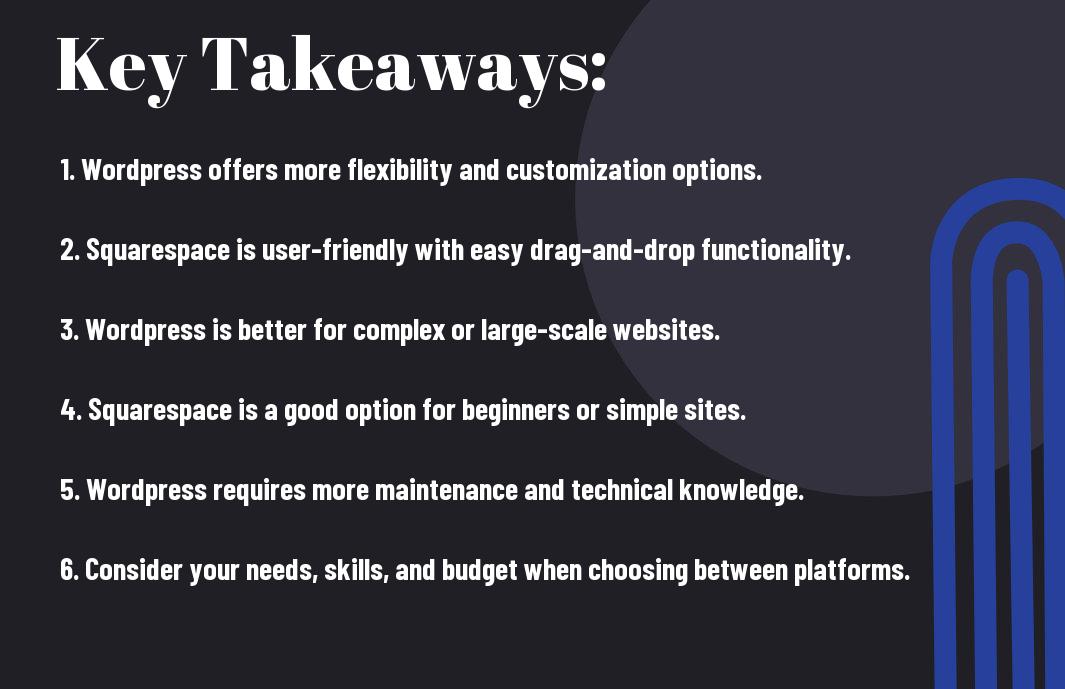
Key Takeaways:
- Customization: WordPress offers more flexibility and customization options compared to Squarespace, making it ideal for complex or unique website designs.
- User-Friendliness: Squarespace is known for its user-friendly interface and intuitive drag-and-drop builder, making it easier for beginners to create professional-looking websites without coding knowledge.
- Cost: While Squarespace has a lower upfront cost and includes hosting, WordPress allows for more control over hosting and potentially lower long-term costs.

Ease of Use
User Interface
To ensure a smooth user experience, both WordPress and Squarespace offer intuitive user interfaces. However, Squarespace excels in this aspect with its sleek and user-friendly drag-and-drop editor. Users can easily customize their websites by simply moving elements around the page, making it ideal for those who are not tech-savvy. On the other hand, WordPress requires a bit more technical know-how to navigate its dashboard and customize themes, plugins, and widgets.
Learning Curve
One key aspect to consider when choosing between WordPress and Squarespace is the learning curve. Squarespace is renowned for its ease of use, making it a great choice for beginners looking to quickly set up a professional-looking website. In contrast, WordPress has a steeper learning curve due to its extensive customization options and the need to understand themes, plugins, and updates. However, once users are familiar with the platform, they can unleash the full power of WordPress for their website needs.
The Ultimate Comparison – WordPress Vs Squarespace For Your Website
Themes and Templates
For website customization and flexibility, both WordPress and Squarespace offer a range of themes and templates to choose from. WordPress boasts a vast library of free and premium themes that cater to different industries and design preferences. On the other hand, Squarespace provides beautifully designed templates that are easy to customize with their drag-and-drop editor. WordPress gives users more flexibility to create unique and personalized websites with endless customization options, while Squarespace offers a more streamlined and user-friendly approach to design.
Plugins and Extensions
Pertaining to adding functionality to your website, WordPress excels with its extensive collection of plugins. There are thousands of plugins available for WordPress that can enhance your site’s performance, SEO, security, and more. Squarespace, on the other hand, has a limited selection of built-in extensions that offer basic features like social media integration and e-commerce tools. WordPress allows for endless possibilities in expanding your website’s capabilities, while Squarespace may have some limitations in terms of customization.
For instance, while Squarespace provides a seamless user experience with its all-in-one platform, users might find themselves restricted in terms of advanced features that are readily available on WordPress through plugins. It’s important to consider the level of customization and functionality you require for your website when choosing between the two platforms.
E-commerce Capabilities
Online Store Functionality
To create an effective online store, you need a platform that offers robust e-commerce capabilities. Despite both WordPress and Squarespace providing options for setting up online stores, Squarespace is known for its user-friendly interface and seamless integration of e-commerce features. To efficiently manage and showcase your products, Squarespace’s drag-and-drop design makes it easy to create a visually appealing online store without needing technical expertise.
Payment Processing and Security
One of the most crucial aspects of running an online store is ensuring secure payment processing for your customers. Squarespace and WordPress both offer various payment processing options, including PayPal, Stripe, and more. One key advantage of Squarespace is its built-in SSL security for all plans, ensuring that all transactions are encrypted and protected. Additionally, Squarespace provides PCI compliance, reducing the risk of data breaches and ensuring customer trust.
Functionality: With respect to e-commerce capabilities, the most important factors to consider are ease of use for setting up an online store, secure payment processing, and adherence to industry standards for data protection. Both WordPress and Squarespace offer robust e-commerce features, but Squarespace’s user-friendly interface and built-in security measures make it a standout choice for businesses looking to establish a secure and efficient online store.
SEO and Marketing Tools
Built-in SEO Features
Your website’s visibility on search engines is crucial for attracting traffic. With WordPress, you have access to numerous plugins like Yoast SEO that help optimize your website for search engines. You can easily customize meta titles, descriptions, and keywords for each page, making it easier for your site to rank higher on search engine results pages.
Marketing Integrations and Analytics
Marketing your website effectively requires insights and data to make informed decisions. Squarespace offers seamless integrations with popular marketing tools like MailChimp and Google Analytics, providing you with detailed metrics on user behavior, traffic sources, and conversions. Understanding these analytics can help you tailor your marketing strategies and improve your website’s performance.
Pricing and Value for Money
Cost Comparison
Value for money is crucial when selecting a website platform. Let’s compare the pricing of WordPress and Squarespace to help you make an informed decision:
| WordPress | Squarespace |
| Free to download and use | Subscription-based pricing starting at $12/month |
| Domain name and hosting costs apply | All-in-one solution with hosting included |
| Additional costs for themes, plugins, and security | No hidden costs; all features included in the subscription |
Evaluating Return on Investment
Investment in your website should generate a valuable return. Evaluating the return on investment with WordPress and Squarespace involves looking at the results each platform can deliver for your business:
Cost: While WordPress can be more cost-effective initially with its free download, Squarespace provides a hassle-free, all-in-one solution without hidden costs. Consider your long-term goals and the scalability of your website when making this decision.
Support and Community
Customer Support Services
Keep in mind that when selecting a platform for your website, the level of customer support services can play a crucial role in your decision-making process. An excellent customer support team can save you valuable time and frustrations when troubleshooting technical issues or seeking help with customization.
Community Resources and Forums
Resources such as community forums can be invaluable when using a website platform. They provide a space for users to ask questions, share tips, and learn from others’ experiences. Being part of a community can often lead to quicker solutions to problems and a better understanding of the platform.
Services provided by the platform must include 24/7 customer support, a dedicated community manager, and active forums to ensure that users have the assistance and resources they need when building their websites.
Summing up
With this in mind, when comparing WordPress and Squarespace for your website, it ultimately comes down to your specific needs and technical comfort level. WordPress offers more customization options and flexibility, making it ideal for those with coding experience and specific design preferences. On the other hand, Squarespace provides a user-friendly, all-in-one platform that simplifies website building for beginners and those looking for a more straightforward approach. Consider your priorities, goals, and comfort with technology when making your decision, as both platforms have their own strengths and can cater to different preferences.
FAQ
Q: What are the main differences between WordPress and Squarespace?
A: WordPress is a self-hosted platform that offers more flexibility, customization options, and scalability. On the other hand, Squarespace is a hosted platform that is known for its ease of use, design templates, and all-in-one solution.
Q: Which platform is better for beginners – WordPress or Squarespace?
A: Squarespace is often recommended for beginners due to its user-friendly interface, drag-and-drop editor, and integrated features. It requires less technical knowledge compared to WordPress, making it a great choice for those new to website building.
Q: Can I switch from Squarespace to WordPress or vice versa?
A: Yes, it is possible to switch from Squarespace to WordPress or vice versa. However, the process may involve exporting/importing content, recreating design elements, and adjusting settings to fit the new platform. It is recommended to plan the migration carefully and possibly seek professional assistance to ensure a smooth transition.
Leave a Reply