



This comprehensive guide aims to navigate you through the intricate process of selecting the best WordPress hosting provider for your website. With the vast array of options available, choosing the right host is crucial to ensure optimal website performance, security, and user experience. We will break down the key factors such as speed, reliability, customer support, and pricing to help you make an informed decision and find the perfect fit for your WordPress site. Let’s dive in and simplify the hosting provider selection process to set your website up for success.
Key Takeaways:
- Understand your website’s needs: Before choosing a WordPress hosting provider, consider your website’s size, traffic, and specific requirements to ensure you select a plan that fits your needs.
- Performance and uptime are crucial: Opt for a hosting provider that offers reliable uptime, fast loading speeds, and good server performance to provide the best experience for your website visitors.
- Customer support is key: Look for a hosting provider that offers excellent customer support, with various channels of communication available 24/7, so you can get help quickly if any issues arise with your WordPress site.

Types of WordPress Hosting
Clearly, choosing the right WordPress hosting provider is crucial for the success of your website. To help you make an informed decision, let’s break down the different types of hosting options available:
| Shared Hosting | Managed WordPress Hosting |
| VPS (Virtual Private Server) Hosting | Dedicated Server Hosting |
| Cloud Hosting |
Shared Hosting
Hosting on a shared server means that your website shares resources with other websites on the same server. This is a cost-effective option for small websites with low to moderate traffic.
Managed WordPress Hosting
With managed WordPress hosting, the hosting provider takes care of all technical aspects of running a WordPress site. This includes security, speed, WordPress updates, daily backups, and scalability.
VPS (Virtual Private Server) Hosting
An ideal middle-ground between shared hosting and dedicated server hosting, a VPS offers more control and customization options. It provides a dedicated portion of the server with allocated resources for your website.
Dedicated Server Hosting
Private and secure, dedicated server hosting gives you full control over a physical server dedicated solely to your website. It’s suitable for high-traffic websites that require maximum performance and security.
Cloud Hosting
An excellent choice for websites that require scalability, cloud hosting offers resources from a network of servers. It provides flexibility and reliability, with the ability to handle sudden traffic spikes effectively.
Recognizing the differences between these hosting options is imperative in determining the best fit for your WordPress website’s needs.
Factors to Consider When Choosing a Hosting Provider
All businesses, regardless of size, need to carefully evaluate several key factors when selecting a WordPress hosting provider. This decision is crucial to ensure your website runs smoothly and efficiently. Here are some imperative aspects to consider:
Speed and Performance
The speed and performance of your website are critical for user experience and SEO ranking. Fast-loading websites are favored by visitors and search engines alike. Ensure the hosting provider offers SSD storage, CDN integration, and a strong server infrastructure to guarantee optimal performance.
Security and Reliability
For security and reliability, look for hosting providers that offer automatic backups, SSL certificates, and robust security measures to protect your website from cyber threats. Choosing a provider with a strong uptime guarantee will also ensure your website is always accessible to visitors.
Consider opting for hosting providers that have a proven track record of reliable security measures and a history of uptime. This will give you peace of mind knowing that your website is in safe hands.
Customer Support and Service
While price and features are imperative, customer support and service can make a significant difference when issues arise. Look for hosting providers that offer 24/7 support, multiple support channels, and a helpful knowledge base to assist you whenever needed.
Performance issues or security concerns may arise, and having access to responsive customer support can help you resolve issues quickly and efficiently, keeping your website running smoothly.
Pricing and Plans
Some hosting providers offer competitive pricing and flexible plans to cater to varying business needs. Consider your budget and growth projections when selecting a plan. Look for transparent pricing structures without hidden fees or sudden price hikes.
Plus, ensure the hosting provider offers scalability options to upgrade your plan as your website grows, allowing for seamless expansion without downtime.
Scalability and Future Growth
Clearly outline your website’s current and future requirements to ensure the hosting provider can accommodate your business’s scalability and growth. Choose a provider that offers flexible hosting solutions that can easily adapt to your changing needs as your website expands.
Speed, security, customer support, pricing, and scalability are crucial factors to consider when selecting the best WordPress hosting provider for your business. Evaluate these aspects carefully to make an informed decision that will benefit your website in the long run.
Step-by-Step Guide to Selecting Your WordPress Hosting Provider
| Assessing Your Website Needs | Comparing Key Features of Providers |
Assessing Your Website Needs
Your journey to finding the best WordPress hosting provider starts with assessing your website needs. Consider factors like traffic volume, storage requirements, anticipated growth, and special features like e-commerce capabilities. Understanding these aspects will help you narrow down your options and choose a provider that aligns with your requirements.
Comparing Key Features of Providers
On your quest for the ideal WordPress hosting provider, comparing key features is crucial. Consider aspects such as uptime guarantees, customer support quality, security measures, scalability options, and pricing plans. These features can significantly impact your website’s performance and user experience. Thoroughly evaluating these aspects will ensure you make an informed decision.
| StepbyStep | Provider Comparison |
Evaluating Provider Reviews and Testimonials
The evaluation of provider reviews and testimonials can provide valuable insights into the reputation and performance of potential WordPress hosting providers. Look for feedback on factors like customer support responsiveness, reliability, uptime, and overall user satisfaction. Leveraging these reviews can help you gauge the credibility and trustworthiness of a hosting provider.
Conducting Performance Tests
Assessing the performance of different hosting providers is crucial in determining the best fit for your WordPress website. Conduct tests to evaluate factors like loading speed, server response time, and scalability under traffic spikes. These tests will give you a practical understanding of how each provider performs in real-world scenarios.
Making the Final Decision
Assuming you have thoroughly assessed your website needs, compared key features, evaluated provider reviews and testimonials, and conducted performance tests, it’s time to make the final decision. Consider all the information gathered, weigh the pros and cons, and choose a WordPress hosting provider that aligns most closely with your requirements and budget.
Tips for Maximizing Your WordPress Hosting Experience
Many WordPress website owners underestimate the importance of selecting the right hosting provider for their sites. To ensure you get the most out of your hosting experience, consider the following tips:
- Choose a WordPress hosting provider that offers reliable uptime and fast loading speeds.
- Opt for a hosting plan that can accommodate your website’s traffic and storage needs.
- Look for a provider that offers excellent customer support to assist you with any technical issues.
Recognizing the significance of these factors can make a significant difference in the performance and success of your WordPress website. To learn more about choosing the best WordPress hosting, check out How to Choose the Best WordPress Hosting (2024 Guide).
Optimizing for Speed and Efficiency
Some website owners underestimate the impact of website speed on user experience and search engine rankings. To optimize your WordPress site for speed and efficiency, consider using a lightweight theme, optimizing images, leveraging browser caching, and utilizing a content delivery network.
Regularly Updating and Maintaining Your Website
Speed is imperative for a positive user experience and SEO rankings. Regularly updating your WordPress website, themes, and plugins can help improve performance, security, and functionality. Set up automatic updates and perform regular maintenance to ensure your site runs smoothly.
Utilizing Backup Solutions
Backup solutions are crucial for protecting your website data. Hosts that offer automatic backups or plugins like UpdraftPlus can help you recover your site in case of data loss or security breaches. Regularly backing up your website is an imperative part of maintaining a secure online presence.
Maximizing the performance and security of your WordPress website requires a proactive approach to hosting and maintenance. By following these tips and best practices, you can ensure a seamless experience for both your visitors and yourself.
Pros and Cons of Popular WordPress Hosting Providers
| Hosting Provider | Pros and Cons |
| Bluehost | Pros: User-friendly interface, reliable uptime. Cons: Higher renewal rates, basic security features. |
| SiteGround | Pros: Excellent customer support, strong security measures. Cons: Limited storage on entry-level plans, slightly higher pricing. |
| WP Engine | Pros: Optimized for WordPress, daily backups. Cons: Higher cost compared to shared hosting, limited plugin options. |
| HostGator | Pros: Affordable pricing, 45-day money-back guarantee. Cons: Slower loading times, mixed customer support reviews. |
Overview of Top Providers
Little research and comparison go a long way in finding the perfect WordPress hosting provider. Understanding the features and limitations of each provider will help you make an informed decision that suits your website’s needs.
Advantages and Disadvantages of Each
Assuming you are looking for a reliable and secure hosting provider, weighing the advantages and disadvantages of each becomes crucial. While some providers offer excellent customer support and robust security features, others may lack in storage space or have higher pricing plans.
Plus, it is necessary to consider the scalability of your website and the level of technical support provided by the hosting company. These factors can greatly impact the performance and success of your WordPress site.
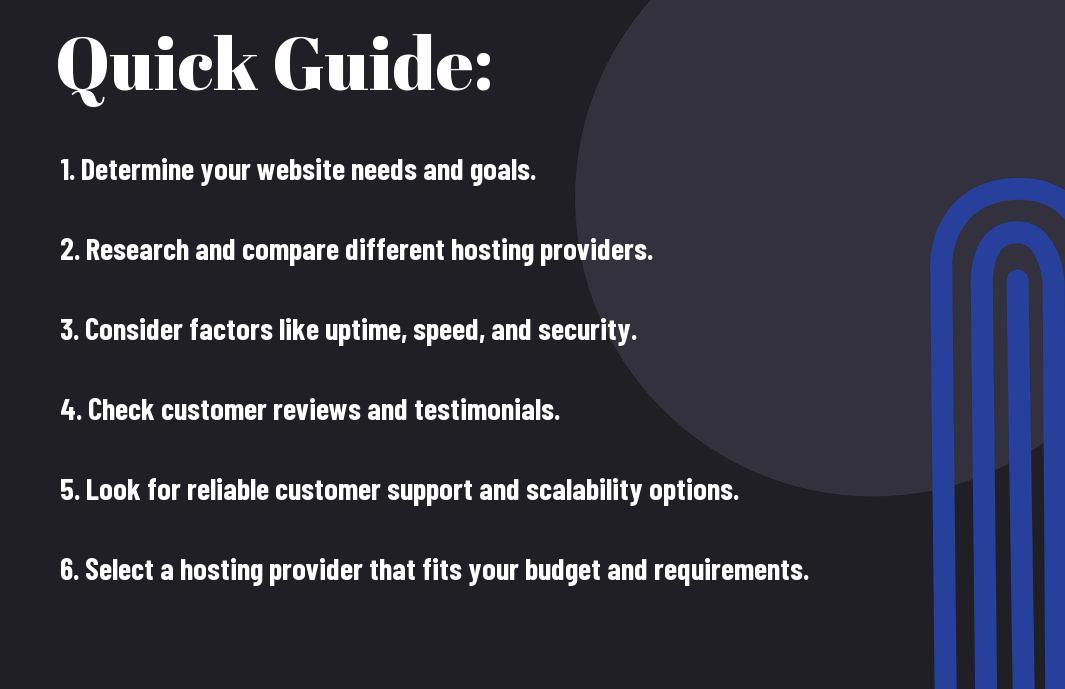
Conclusion
Drawing together all the necessary factors to consider when selecting a WordPress hosting provider, such as performance, reliability, security, customer support, and pricing, will guide you in making an informed decision. By evaluating your specific requirements and understanding the different types of hosting options available, you can choose the best WordPress hosting provider that aligns with your needs and goals. Investing time in research and comparing various hosting providers will ensure that your website is in good hands, allowing you to focus on creating valuable content and growing your online presence.
FAQ
Q: What factors should I consider when choosing a WordPress hosting provider?
A: When choosing a WordPress hosting provider, consider factors such as speed, uptime, security, customer support, scalability, and pricing. It’s important to select a provider that offers fast loading times, high uptime guarantees, robust security features, responsive customer support, room for growth, and pricing that fits your budget.
Q: What are the different types of WordPress hosting available?
A: The main types of WordPress hosting are shared hosting, VPS hosting, dedicated hosting, and managed WordPress hosting. Shared hosting is the most affordable but also the least powerful, while VPS hosting offers more resources and flexibility. Dedicated hosting provides a server exclusively for your website, and managed WordPress hosting is a service tailored specifically for WordPress sites, offering automatic updates and enhanced security.
Q: How can I migrate my WordPress site to a new hosting provider?
A: Migrating your WordPress site to a new hosting provider can be done manually by moving files and databases, or using a plugin such as Duplicator or All-in-One WP Migration for a simpler process. Before starting the migration, be sure to back up your site, update your domain’s DNS settings, and test the new site thoroughly to ensure everything is working properly before directing traffic to it.
Leave a Reply