



Beginner WordPress users often struggle to find the right hosting solution to support their website. By following these important tips, you can ensure a smooth and secure experience with your hosting provider. From selecting the right plan to optimizing performance, these guidelines will help you navigate the world of WordPress hosting with confidence. Make sure to pay attention to the critical details highlighted in each tip to avoid common pitfalls and maximize the potential of your website.
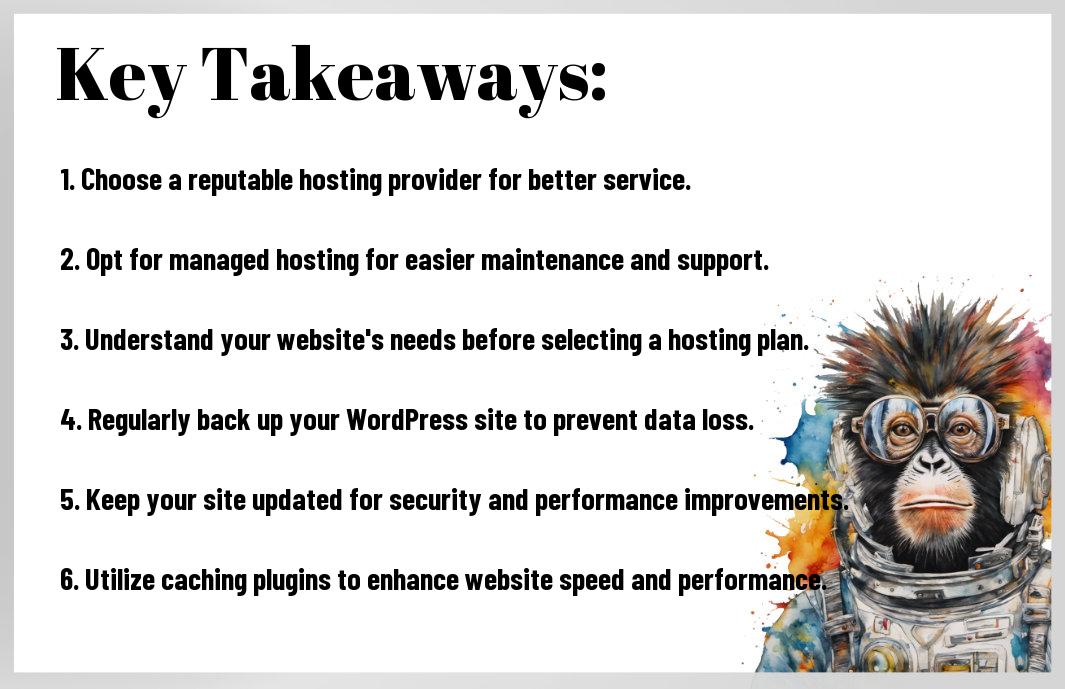
Key Takeaways:
- Choose a reliable hosting provider: Select a hosting provider with a good reputation for uptime, performance, and customer support.
- Consider your website needs: Determine the resources your website requires such as traffic volume, storage, and performance.
- Opt for managed WordPress hosting: Managed hosting takes care of technical aspects like updates, backups, and security, allowing you to focus on your content.
- Prioritize speed and performance: Opt for SSD storage, content delivery networks (CDNs), and caching to boost your website’s speed and performance.
- Ensure security measures: Look for hosting providers that offer SSL certificates, firewalls, and malware protection to keep your site secure.
- Regularly back up your website: Backup your WordPress site regularly to prevent data loss in case of hacks, crashes, or other issues.
- Check customer reviews and support: Research customer reviews and the level of support provided by hosting companies before making a decision.
Choose Reputable Host
Check host reviews
One important tip when choosing a WordPress hosting provider is to check host reviews. Before committing to a host, take the time to research feedback from other users. Look for reviews that discuss performance, customer support, and uptime reliability. Take note of any recurring issues or complaints to make an informed decision on which host to choose.
Uptime reliability crucial
There’s no denying the importance of uptime reliability when it comes to hosting your WordPress site. A host that experiences frequent downtime can negatively impact your website’s performance and user experience. Look for a host that guarantees a high uptime percentage, ideally 99.9% or more, to ensure your site is consistently accessible to visitors.
Uptime refers to the amount of time that a server is operational and available online. It is crucial for maintaining a reliable web presence and ensuring that your visitors can access your site whenever they need to.
Consider Hosting Needs
Assess site traffic
Little is more critical when choosing a WordPress hosting plan than understanding your site’s traffic. This data will help you determine the resources required to ensure your site can handle the number of visitors it receives.
Plan for growth
Clearly, when selecting a hosting provider, you must not only think about your current needs but also consider your future growth. Look for a hosting service that can easily scale with your site as it expands.
For example, if you anticipate a significant increase in traffic or plan to add more features to your site in the coming months, you must choose a hosting plan that can accommodate these changes without causing any downtime or performance issues.
Plan ahead and opt for a hosting provider that offers scalable options, such as VPS or cloud hosting, that can adjust to your site’s growing requirements. Always consider the potential for growth when making your hosting decision to avoid the need to switch providers down the line.

Prioritize Support Quality
24/7 support ideal
Keep in mind that having access to 24/7 support can make a world of difference when it comes to managing your WordPress website. Issues can arise at any time, so having around-the-clock support means you can get help whenever you need it, ensuring your website stays up and running smoothly.
Look for expertise
If you’re new to WordPress hosting, you’ll want to make sure that the support team has the necessary expertise to assist you with any technical issues that may arise. Look for a hosting provider that offers support from knowledgeable professionals who are well-versed in WordPress and can provide timely and accurate solutions to your problems.
When you’re evaluating a hosting provider, look for indications of their team’s expertise such as certifications, years of experience, and customer reviews highlighting their technical knowledge and problem-solving skills.
Understand Pricing Structure
Beware of hidden costs
Now, when choosing a WordPress hosting provider, it’s crucial to be aware of potential hidden costs. Some hosts may advertise low initial prices but then tack on additional fees for crucial features like backups, security, or support. Be sure to read the fine print and ask about any extra charges before committing to a hosting plan.
Compare renewal prices
Now, if you’re looking for a WordPress hosting plan, be sure to compare not only the initial prices but also the renewal prices. Some hosting providers offer steep discounts for the first year but then significantly increase the rates when it comes time to renew. It’s crucial to consider the long-term cost of hosting when making your decision.
| Initial Price | Renewal Price |
| $3.95/month | $9.95/month |
You’ll get not know significant price increases after the initial period, which could catch you off guard if you’re not prepared. It’s crucial to factor in the renewal prices when comparing different hosting options to ensure you’re getting the best value for your money.
More about Compare renewal prices
You can easily avoid overpaying by being proactive and doing your research upfront. Comparing renewal prices will give you a clear picture of the true cost of hosting over time, helping you make an informed decision. Look for hosting providers that offer transparent pricing and competitive renewal rates to ensure you’re getting the best deal for your WordPress site.
| Initial Price | Renewal Price |
| $2.99/month | $6.99/month |
Confirm Backup Solutions
Regular backup schedule
Not having a regular backup schedule in place can be detrimental to your WordPress site. An automatic backup solution should be set up to regularly save your website data, preventing any data loss in case of emergencies like website crashes or hacks. It is crucial to backup your site daily or weekly, depending on how frequently you update your content.
Easy restoration process
Backup solutions should also offer an easy restoration process to quickly recover your website in case of any unforeseen incidents. Having a streamlined restoration process can save you time and hassle during stressful situations. Make sure the backup solution you choose provides a one-click restore option or a straightforward process to get your site back up and running without complications.
To ensure the safety of your WordPress site, consider investing in a backup solution that offers both regular backup schedules and easy restoration processes. These features are vital for protecting your website from potential threats and ensuring your data is secure at all times.
Emphasize Security Features
SSL certificates mandatory
Once again, when choosing a WordPress hosting provider, one of the crucial aspects to consider is the inclusion of SSL certificates. These certificates are imperative for encrypting data transmitted between your website and its visitors. Without SSL, sensitive information like login credentials and payment details are at risk of being intercepted by malicious third parties.
DDoS protection valuable
With the increasing number of cyber attacks targeting websites, having DDoS protection is invaluable. This feature helps safeguard your site from distributed denial-of-service attacks, which can overwhelm your server with traffic and take your website offline. DDoS attacks can lead to downtime, loss of revenue, and damage to your brand’s reputation.
Little downtime, strong security, and a positive user experience are the benefits of having DDoS protection in place. It ensures that your website remains accessible to visitors even during malicious attacks, providing peace of mind for both you and your site visitors.
Speed Optimization
Prioritize fast servers
All beginner WordPress users should prioritize fast servers when selecting a hosting provider. Slow servers can drastically impact your website’s loading speed, leading to a poor user experience and lower search engine rankings. Look for hosting providers that offer SSD storage, high-performance processors, and ample RAM to ensure your website runs smoothly and quickly.
Utilize caching mechanisms
To optimize your website’s speed, make sure to utilize caching mechanisms. Caching helps reduce server load and speeds up your website by temporarily storing frequently accessed data. Consider using plugins like W3 Total Cache or WP Super Cache to enable caching on your WordPress site. Additionally, leverage browser caching to improve load times for returning visitors.
A common type of caching is browser caching, which stores static files like images, CSS, and JavaScript on a visitor’s device. This way, when they revisit your site, their browser doesn’t need to re-download these resources, resulting in faster load times. Implementing caching mechanisms is a crucial step in optimizing your WordPress site for speed.
Scalability Options
Plan for upgrades
Your WordPress site’s scalability is crucial for handling sudden increases in traffic and content. The hosting plan you choose should offer options for upgrades as your site grows. Consider starting with a plan that allows for easy upgrades to accommodate your site’s increasing demands. It’s important to have room to expand without facing downtime or performance issues.
Seamless scaling preferred
The key to a successful WordPress site is seamless scaling. With a hosting provider that offers seamless scaling, you can easily adjust your resources as needed without disrupting your site’s performance. This ensures that your site can handle spikes in traffic or growth without missing a beat. Look for a hosting provider that prioritizes seamless scaling to keep your site running smoothly at all times.
Seamless scaling is important for a growing WordPress site. It allows you to expand your resources on-demand, ensuring that your site remains fast and responsive even during traffic surges. By choosing a hosting provider that offers seamless scaling options, you can future-proof your site and provide a seamless user experience for your visitors.
Website Migration Services
Look for assistance
After deciding to switch your WordPress hosting provider, migrating your website can be a daunting task. Some hosting providers offer website migration services as part of their package, which can significantly simplify the process for beginners. It is advisable to take advantage of this service to ensure a smooth and hassle-free transition to your new hosting environment.
Ensure smooth transition
After signing up for a reliable hosting provider that offers migration services, assuming they do not offer it automatically, it is necessary to contact their customer support team to initiate the process. For instance, you may need to provide them with access to your current hosting account and your WordPress website files. This step is crucial in ensuring a quick and error-free migration of your website data.
Summing up
From above 10 Essential Tips for WordPress Beginners and Pro, it is clear that choosing the right hosting provider is crucial for your WordPress website’s success. By following these tips like considering performance, security, support, and scalability, beginners can make an informed decision when selecting a hosting service. Investing time in research and understanding your website’s needs will go a long way in ensuring a smooth WordPress hosting experience. Be mindful of, a reliable hosting provider is the foundation of a successful online presence.
FAQ
Q: What is WordPress Hosting?
A: WordPress hosting is a type of web hosting that is optimized for WordPress websites. It is designed to provide the best performance, security, and support specifically for WordPress sites.
Q: Why is choosing the right hosting important for WordPress beginners?
A: Choosing the right hosting for your WordPress site is crucial because it can impact your site’s speed, security, and overall performance. As a beginner, you want a hosting provider that offers reliability and support tailored to WordPress users.
Q: What are the key factors to consider when choosing WordPress hosting?
A: When choosing WordPress hosting, consider factors such as speed, uptime, security, customer support, scalability, pricing, and whether the hosting provider offers features like one-click WordPress installation.
Q: Should beginners opt for shared hosting or managed WordPress hosting?
A: Beginners are recommended to opt for managed WordPress hosting as it offers better performance, security, and support specifically tailored to WordPress sites. Managed hosting providers take care of technical aspects, allowing you to focus on creating content.
Q: How can beginners improve the speed of their WordPress site?
A: To improve the speed of your WordPress site, beginners can choose a hosting provider with optimized servers for WordPress, utilize a content delivery network (CDN), optimize images, use caching plugins, and keep plugins and themes updated.
Q: What security measures should WordPress beginners take with their hosting?
A: WordPress beginners should ensure their hosting provider offers SSL certificates, secure backups, login protection, malware scanning, and regular software updates. Implementing strong passwords and two-factor authentication is also necessary for security.
Q: How can beginners ensure their WordPress site is backed up with their hosting?
A: Beginners should choose a hosting provider that offers automatic backups of their WordPress site. Additionally, they can use backup plugins to schedule regular backups and store them securely off-site for added protection.
Leave a Reply