


Hosting a website on WordPress can be both exciting and daunting, especially when it comes to choosing the right hosting provider. With a plethora of options available, selecting the best one for your needs is crucial for the success of your WordPress site. From speed and reliability to customer support and security, there are critical factors to consider before making a decision. In this comprehensive guide, we will walk you through the crucials of choosing the best WordPress hosting provider, ensuring your website is in safe hands and performs at its best.
Key Takeaways:
- Understand your website’s needs: Before choosing a WordPress hosting provider, assess the requirements of your website such as traffic volume, storage needs, and budget.
- Consider server performance: Opt for a hosting provider that offers reliable server performance, including fast loading times and minimal downtime to ensure a seamless user experience.
- Look for excellent customer support: Select a hosting provider with responsive customer support that is available 24/7 to assist with any technical issues or queries.
- Check security features: Prioritize a hosting provider that offers robust security features such as SSL certificates, firewalls, and malware protection to safeguard your website data.
- Evaluate scalability options: Choose a hosting provider that can accommodate your website’s growth by offering scalability options to easily upgrade your hosting plan as needed.
- Review pricing and plans: Compare the pricing and features of different hosting plans to find one that aligns with your budget and offers the necessary resources for your website.
- Read customer reviews: Research and read customer reviews and testimonials to gauge the reputation and reliability of the WordPress hosting provider before making a decision.
Types of WordPress Hosting
While selecting the right WordPress hosting provider is crucial, understanding the different types of hosting available is equally important. Below is a breakdown of the most common types of WordPress hosting to help you make an informed decision.
| Shared Hosting | VPS Hosting |
| Dedicated Server Hosting | Managed WordPress Hosting |
| Cloud Hosting |
Shared Hosting
Types of hosting where multiple websites share the same server resources. It is the most affordable option but can lead to slower loading times when traffic increases.
VPS (Virtual Private Server) Hosting
There’s a middle ground between shared and dedicated server hosting known as VPS. With VPS hosting, you have dedicated resources within a shared environment, offering more control and customization options.
Hosting your website on a VPS guarantees more stability, increased performance, and better security compared to shared hosting. It’s an ideal choice for growing websites that require more resources but are not ready for a dedicated server.
Dedicated Server Hosting
WordPress Hosting that provides you with an entire server dedicated solely to your website. This option offers the highest level of performance, security, and control but comes at a higher price point.
With dedicated server hosting, you have full control over server configurations, can handle high traffic volumes effortlessly, and customize the server to meet your specific needs.
Managed WordPress Hosting
The hosting provider takes care of all technical aspects of running a WordPress site, including updates, security, backups, and performance optimization. This allows you to focus on creating content and growing your website without worrying about the technical details.
Cloud Hosting
Types of server configuration where your website is hosted on a network of virtual servers instead of a single physical server. Cloud hosting offers scalability, reliability, and high performance, making it a popular choice for websites that experience fluctuating traffic levels.
Recognizing the differences between these WordPress hosting options will help you determine the best fit for your website based on factors like budget, traffic volume, and technical expertise.
Factors to Consider When Choosing a Hosting Provider
Keep these key factors in mind when selecting a WordPress hosting provider for your website:
Speed and Performance
Any website owner knows the importance of fast loading speeds and optimal performance. When choosing a hosting provider, look for high-speed servers and advanced caching technologies to ensure that your site runs smoothly and efficiently.
Uptime and Reliability
Some hosting providers guarantee a 99.9% uptime which is crucial for keeping your website accessible to visitors at all times. A reliable hosting provider will have redundant systems in place to prevent downtime and ensure seamless operation.
Security Features
Any reputable hosting provider should offer secure socket layer (SSL) certificates, firewall protection, and regular security audits to safeguard your website from cyber threats and attacks.
Customer Support
Some hosting providers offer 24/7 customer support via various channels such as live chat, email, and phone. This ensures that you can get assistance whenever you encounter technical issues or have questions about your hosting account.
Pricing and Value for Money
One of the key considerations when choosing a hosting provider is the pricing and the value for money that you are getting. Look for a hosting provider that offers a balance between affordability and the features you need for your website.
Step-by-Step Guide to Selecting Your WordPress Hosting
Assessing Your Website Needs
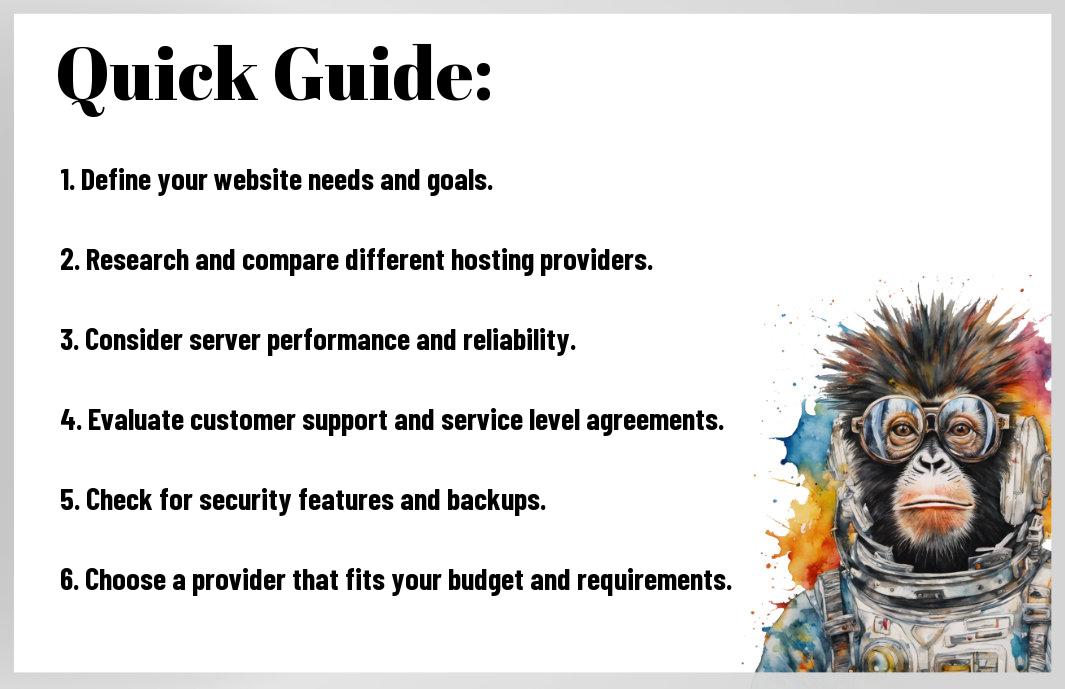
If you are looking to select the best WordPress hosting provider, it is crucial to first assess your website needs. Consider factors such as the size of your website, expected traffic volume, and the level of technical support you may require. Understanding these needs will help you narrow down your options and find a hosting provider that meets your specific requirements.
Comparing Hosting Providers
Hosting providers offer a wide range of services and features, making it crucial to compare them before making a decision. Consider important factors such as price, uptime guarantees, scalability, security features, customer support, and any additional services offered. This comparison will help you find a hosting provider that aligns with your website’s needs and budget.
WordPress Hosting Comparison
| Factors to Consider | Details |
| Price | Plans range from affordable shared hosting to dedicated servers |
| Uptime Guarantee | Ensure the provider offers a reliable uptime guarantee for your site’s availability |
Evaluating Hosting Plans
An important aspect of selecting a WordPress hosting provider is evaluating the hosting plans they offer. Look for features such as one-click WordPress installation, automatic backups, security measures, SSL certificates, and the ability to scale as your website grows. Assessing these hosting plans will help you determine the best fit for your website.
Testing Customer Support
Customer support is a crucial factor in choosing a WordPress hosting provider. Test the provider’s customer support by reaching out with pre-sales questions or technical issues. Evaluate their response time, knowledge, and helpfulness to ensure you will receive timely and effective support when needed.
Customer Support Test
| Response Time | Check how quickly the support team responds to your inquiries |
| Knowledge | Assess the level of expertise and helpfulness of the support team |
Making the Final Decision
When making the final decision on a WordPress hosting provider, consider all the factors you have assessed, including your website needs, hosting plan features, customer support, and budget. Take your time to weigh the pros and cons of each option before making a decision that best suits your website’s requirements.
Tips for a Smooth WordPress Hosting Experience
Many WordPress users face challenges when it comes to selecting the right hosting provider. To ensure a smooth experience, keep the following tips in mind:
- Choose a hosting provider that specializes in WordPress hosting.
- Opt for a plan that suits your website’s needs and traffic levels.
- Look for providers with excellent customer support and reliable uptime.
- Regularly update your WordPress version, themes, and plugins for optimum performance.
Recognizing the importance of these tips can help you navigate the world of WordPress hosting successfully.
Migrating Your Website Smoothly
Tips for migrating your website smoothly include ensuring that you have a complete backup of your site before starting the migration process. Utilize tools provided by your hosting provider for seamless migration to avoid any data loss or downtime.
Managing Your Hosting Resources
Managing your hosting resources is crucial for optimizing your website performance. Plus, it’s vital to monitor your website’s traffic and resource utilization regularly to ensure that your hosting plan can accommodate the growth of your site.
One important aspect of managing your hosting resources is to understand how much CPU, RAM, and bandwidth your website requires to function efficiently. By keeping track of resource usage and upgrading your plan when needed, you can prevent performance issues and maintain a smooth user experience on your site.
Backing up Your WordPress Site
One vital practice for every WordPress user is backing up their website regularly. To ensure the safety of your data, utilize reliable backup plugins or services provided by your hosting provider. By having a recent backup, you can easily restore your site in case of any unforeseen events, such as hacking attempts or data loss.
To prevent any data loss or security breaches, it is crucial to have a backup strategy in place. Regularly scheduled backups and storing copies in different locations can help you safeguard your website’s content and protect it from potential threats.
Monitoring Your Website’s Performance
Now, monitoring your website’s performance is vital to ensure that it runs smoothly and efficiently. The speed, uptime, and security of your site play a significant role in user experience and search engine rankings. By using tools like Google Analytics and website monitoring services, you can keep track of your site’s performance metrics and address any issues promptly.
The key to a successful WordPress hosting experience lies in proactive monitoring and optimization of your website’s performance. By staying vigilant and responsive to any performance concerns, you can maintain a secure and high-performing WordPress site that meets your user’s expectations.

Pros and Cons of Popular WordPress Hosting Providers
Host A – Features and Drawbacks
Pros: Host A offers excellent uptime and fast loading speeds, making it ideal for businesses with high traffic websites. Their customer support is top-notch and available 24/7.
Cons: However, Host A tends to be more expensive compared to other hosting providers in the market. Some users have reported occasional downtime during maintenance.
Host B – Strengths and Weaknesses
An: Host B is known for its affordability and user-friendly interface, making it a great choice for beginners. The customer support may not be as responsive as other providers, and they have limitations on storage and bandwidth.
Providers: Host B also lacks some advanced features compared to its competitors, such as staging environments and automatic backups. However, for small websites and personal blogs, Host B can be a solid option.
Host C – Advantages and Disadvantages
Assuming: Host C offers a wide range of hosting plans to suit different needs and budgets. They have a reputation for security and reliability, with regular backups and malware scans included in their packages.
This: However, some users have complained about the speed and performance of Host C’s servers, particularly during peak times. Additionally, their customer support may not be as knowledgeable or responsive as other providers.
Host D – Benefits and Limitations
Features: Host D stands out for its unbeatable pricing and unlimited bandwidth. They also offer free domain registration and SSL certificates, making it a cost-effective choice for small businesses and startups.
Host: However, Host D may not be suitable for high-traffic websites or resource-intensive applications due to potential performance issues. It’s important to weigh these limitations against the affordability and features offered by Host D before making a decision.
Summing up
Conclusively, choosing the best WordPress hosting provider is crucial for the success of your website. By considering factors such as performance, support, security, and scalability, you can make an informed decision that aligns with your specific needs. For a more detailed guide on selecting the right hosting provider for your WordPress site, check out WordPress Hosting: How to Pick Yours in 2024 (Guide).
FAQ
Q: What factors should I consider when choosing a WordPress hosting provider?
A: When choosing a WordPress hosting provider, consider factors such as speed, uptime, customer support, security measures, scalability, and pricing.
Q: What is the importance of speed in WordPress hosting?
A: Speed is crucial in WordPress hosting as it affects user experience, SEO rankings, and conversion rates. Choose a hosting provider that offers fast server response times.
Q: How important is uptime for a WordPress website?
A: Uptime is critical for a WordPress website as it refers to the percentage of time your site is up and accessible to visitors. Look for hosting providers that guarantee at least 99.9% uptime.
Q: What role does customer support play in WordPress hosting?
A: Customer support is crucial in WordPress hosting as you may encounter technical issues or need assistance with your website. Opt for a hosting provider that offers 24/7 support via multiple channels.
Q: How can I ensure the security of my WordPress website with hosting?
A: To ensure the security of your WordPress website, choose a hosting provider that offers features like SSL certificates, regular malware scans, firewalls, and automatic backups.
Q: What does scalability mean in the context of WordPress hosting?
A: Scalability in WordPress hosting refers to the ability to easily upgrade your hosting plan as your website grows. Select a hosting provider that allows for seamless scalability without downtime.
Q: What should I consider when evaluating the pricing of WordPress hosting providers?
A: When evaluating the pricing of WordPress hosting providers, consider factors such as the renewal rates, included features, resource allocations, and any additional fees for add-ons or upgrades.
Leave a Reply